Scorebook
How to use the scorebook
Score your league, Cup and Plate matches on your phone as they happen. When you finish, the result goes straight in: no card to fill in and send, and the tables, stats and FSL points update themselves.
Why use it
- The result is in straight away. Finish the match and it's done.
- Tables and stats update themselves: league tables, player averages and the highest away scorer.
- FSL points are worked out for you, straight off the scorebook.
- Everyone can follow along, with the latest scores from the other games and a result card to share.
Opening the scorebook
- Log in as a player for your team.
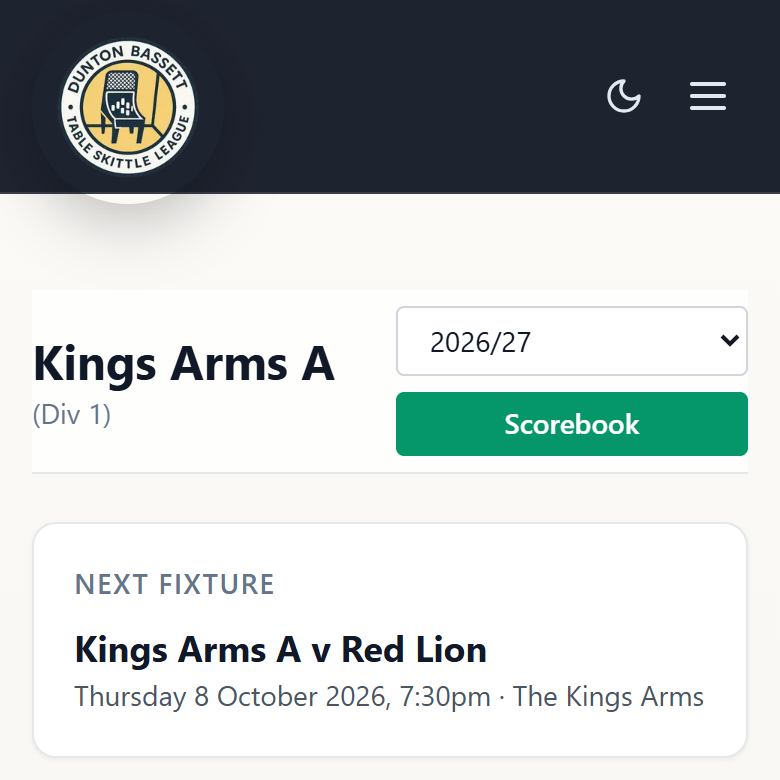
- Go to your team page. The green Scorebook button is at the top, for your next fixture, home or away.
- Tap it. If the players are already picked, it takes you straight to the match.
Picking the players
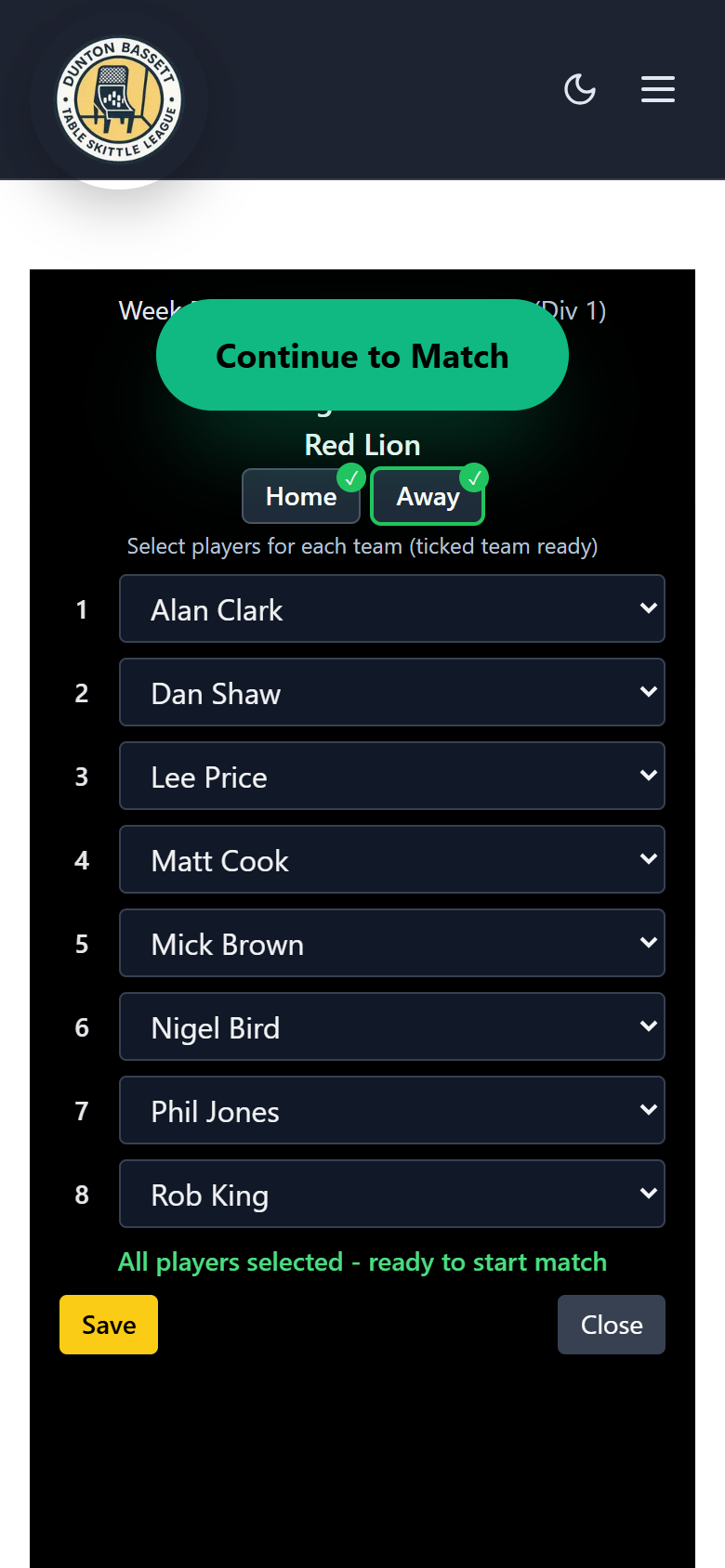
- Pick each team's 8 players from the list, in throwing order. Switch between Home and Away at the top.
- A player short? Pick L/S at position 7 or 8 and that side's lowest scorer throws again.
- When both sides are ticked, tap Continue to Match.
Scoring
On a phone
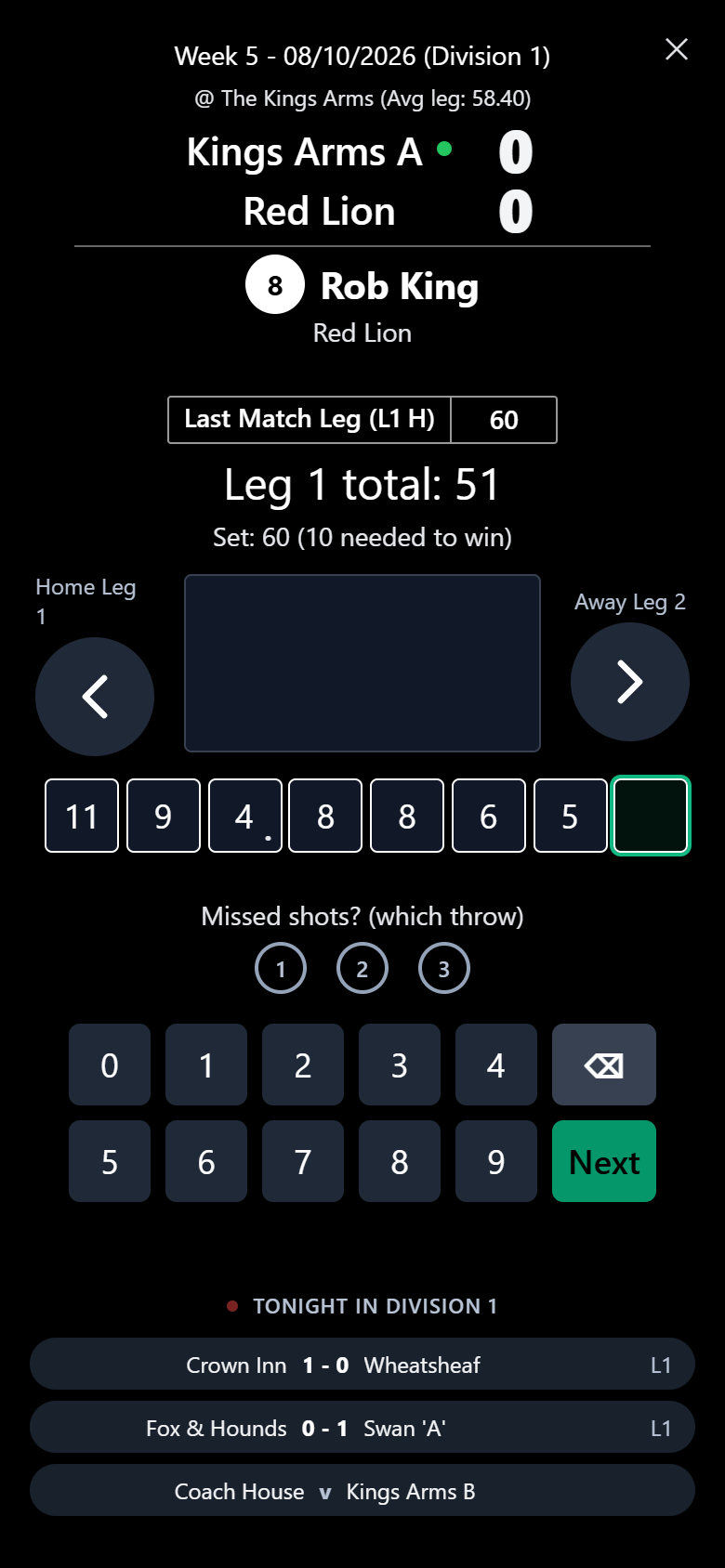
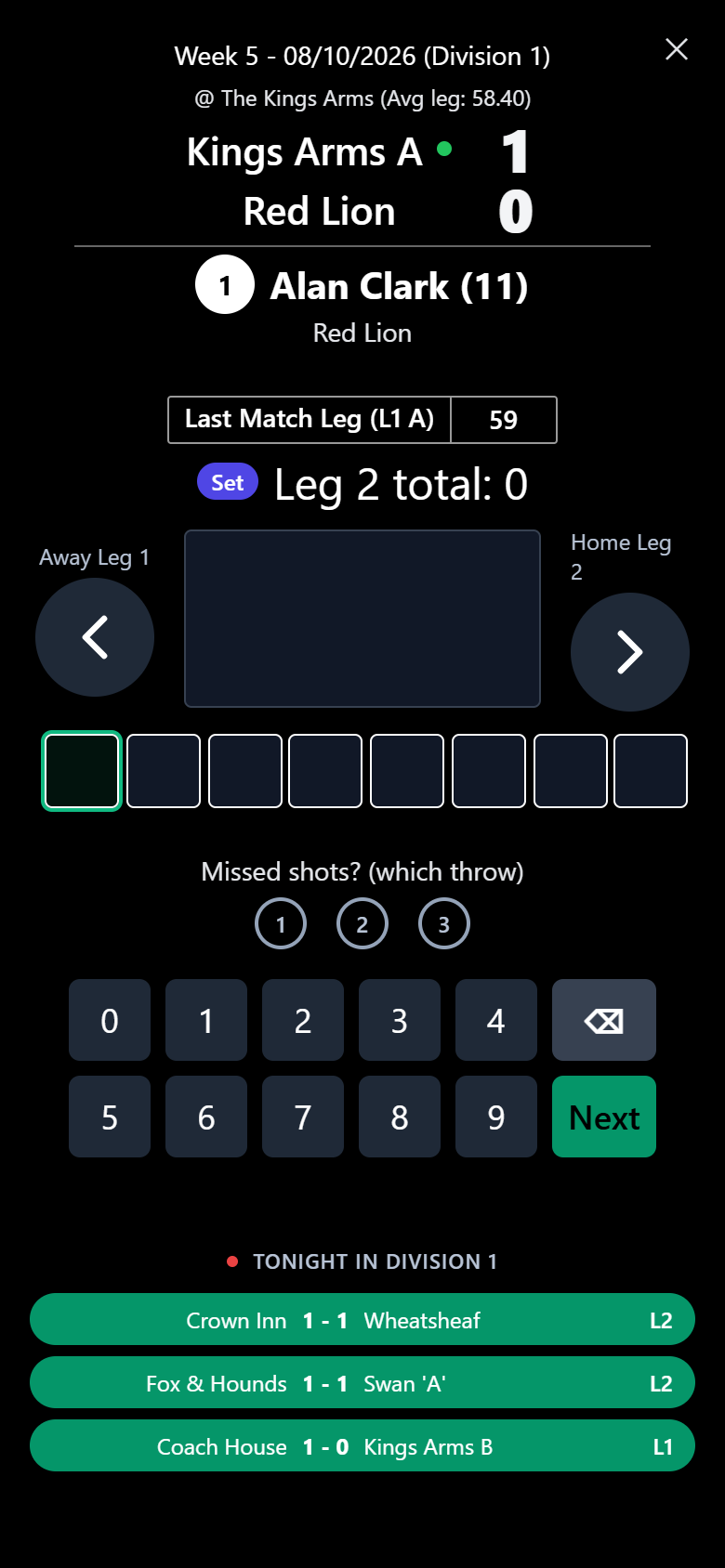
- It goes one player at a time. Tap the score on the keypad, then Next.
- A cheese missed? Tap 1, 2 or 3 under "Missed shots" for the throw that missed.
- When you're chasing, it shows the set and how many you need to win the leg.
- Last Match Leg keeps the previous leg's total in view.
- The arrows step between each side's legs, and tapping a square jumps to that player.
- Scores save as you go, so you can close it and carry on later.
On a tablet or laptop
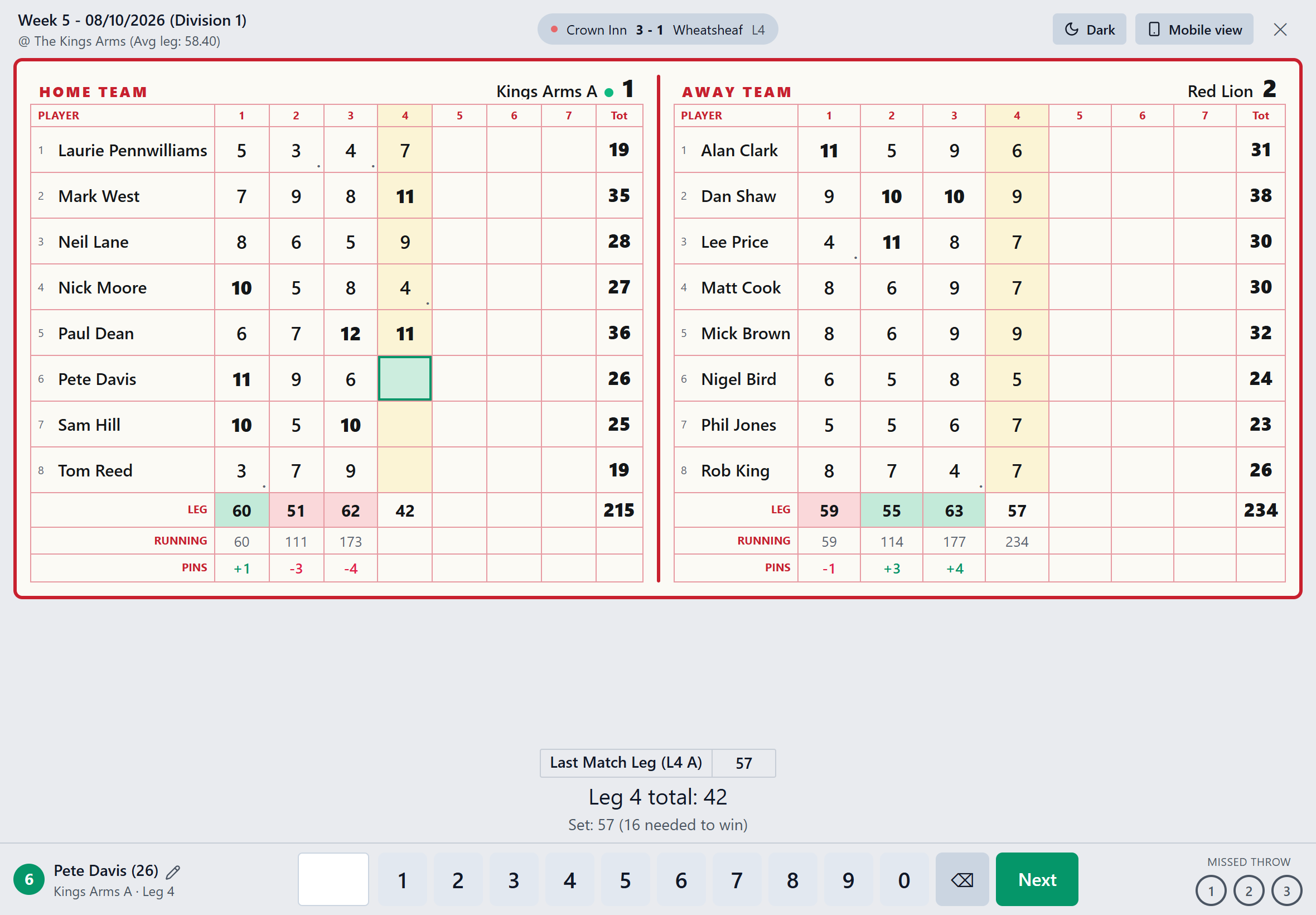
Turn a tablet sideways and you get the whole card at once, with running totals and pins leg by leg. Tap any cell to fix a score. The Mobile view and Board buttons switch between the two layouts.
Latest scoresNew
- Every other game that night in your division or competition is listed under the keypad.
- A game pops green the moment it finishes a leg, so you can see how the others are getting on.
- L3 means three legs played. FT means it's finished.
- On a tablet or laptop, the games take turns in the top bar.
League, Cup and Plate
- Winter league and Cup matches are scored in legs: win a leg and you get a point, a tied leg is half each.
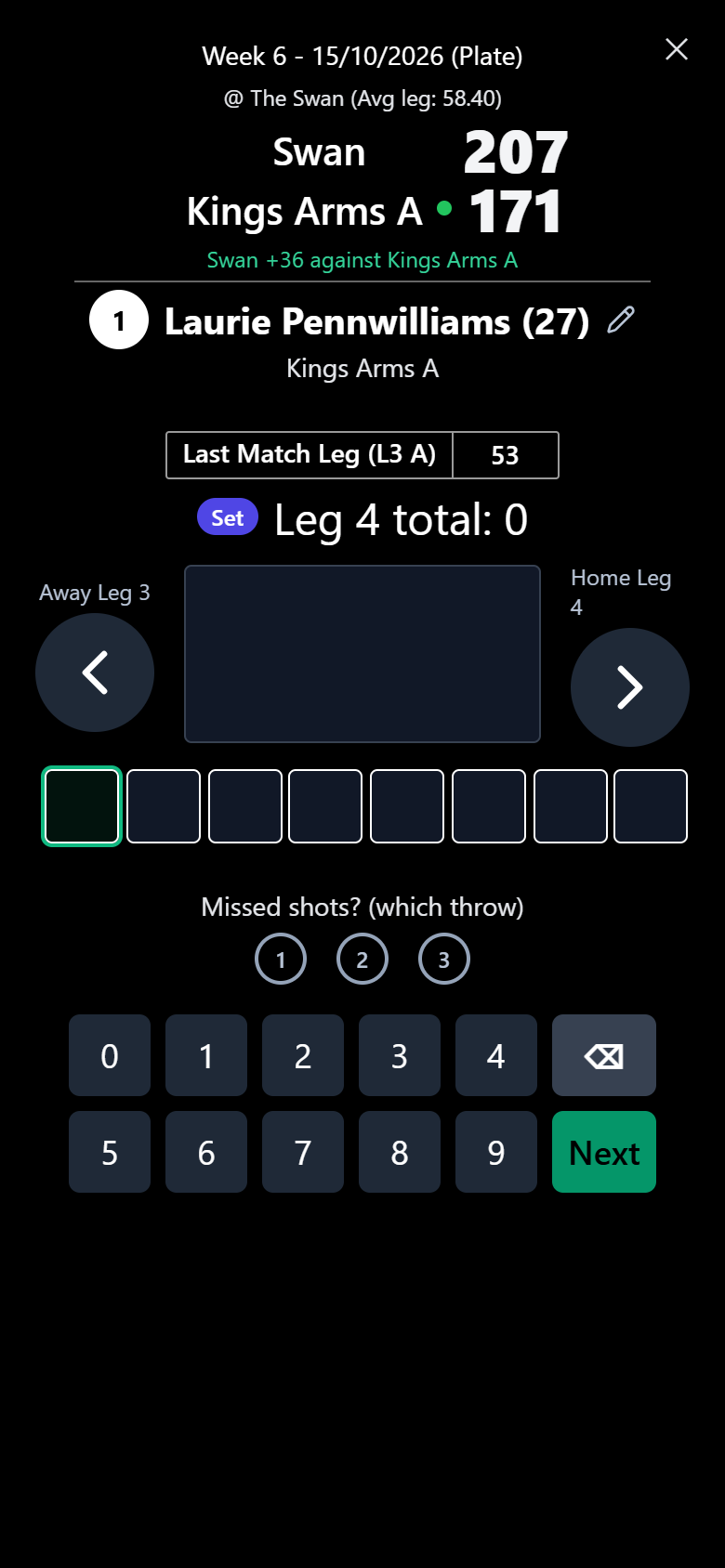
- Plate and summer league matches go on total pins, and the lead is shown as you play.
- The scorebook knows which one your match is, so you just score.
Finishing and sharing the result
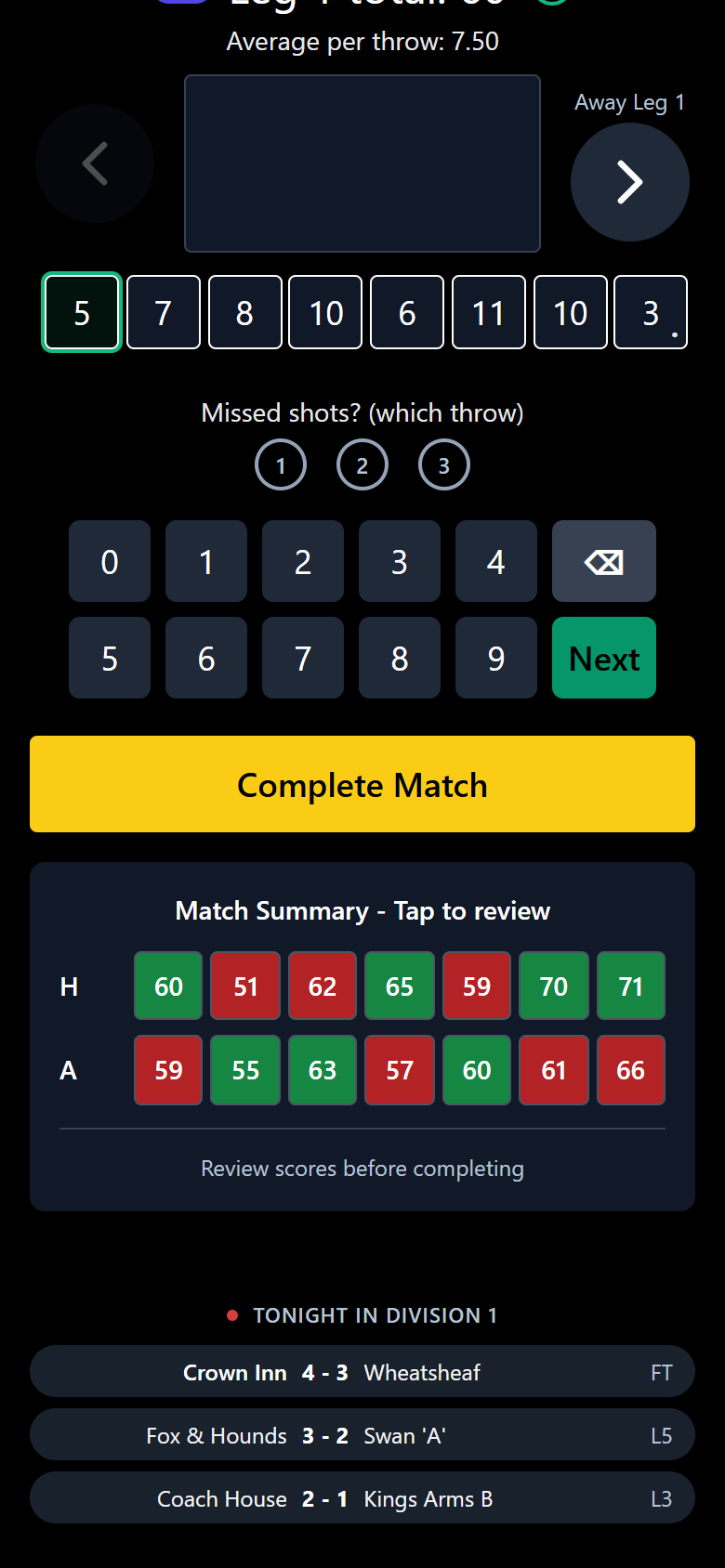
- When the last leg is in, check the match summary: green means won, red means lost. Tap any leg to review it.
- Tap Complete Match. The result, league table, stats and FSL points are all updated.
Share the resultNew
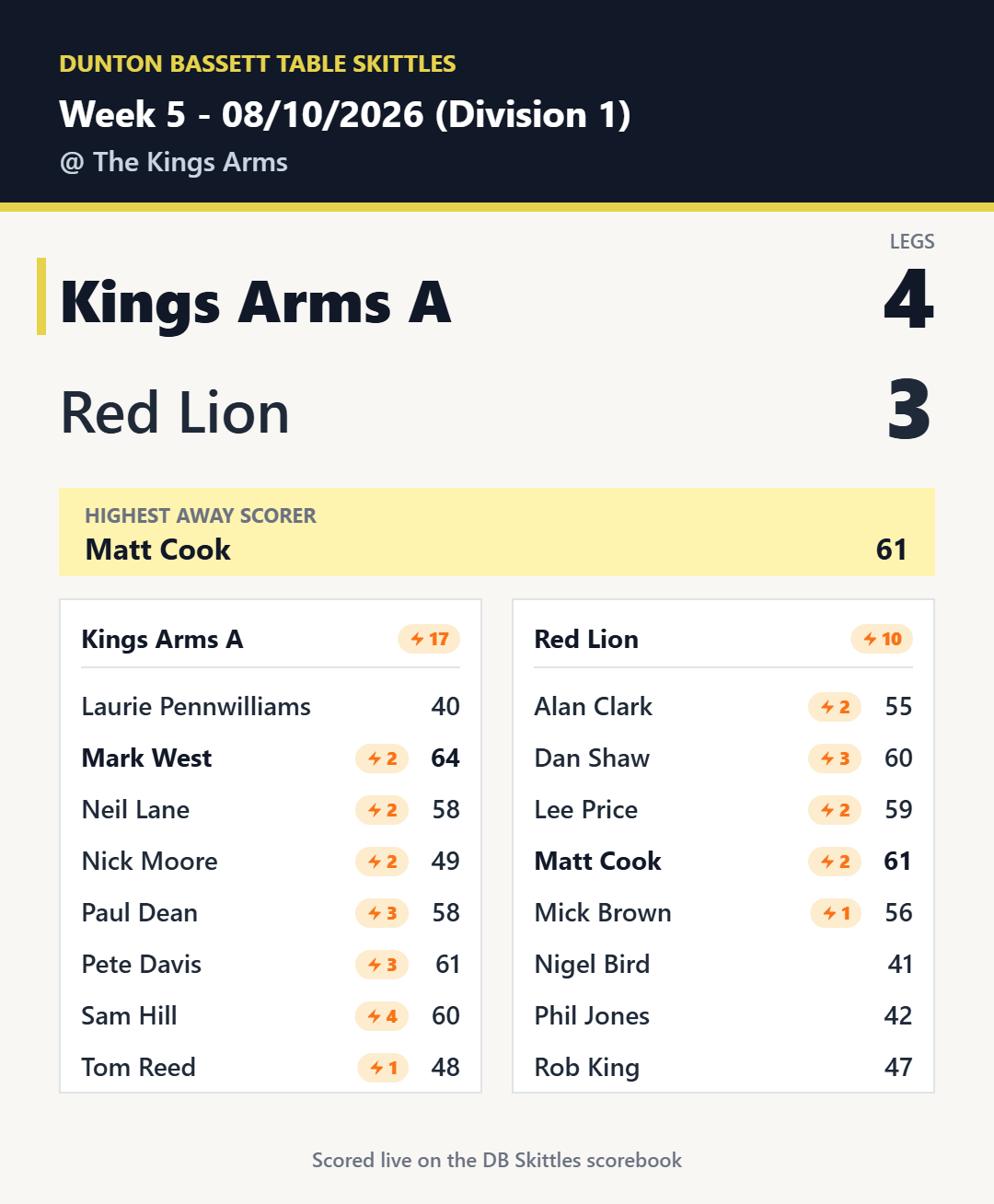
- Tap Share to WhatsApp on the result screen.
- It sends a picture of the result to your team chat, with the score, the highest away scorer, and every player's total and whacks.
- Fancy a friendly after? The Beer Leg button is right next to it. How the Beer Leg works
FAQ
Who can open the scorebook?
Any player logged in for one of the two teams, from their own team page. Committee members can open it too.
What if both teams score the match?
That is fine. The first scorebook completed is the official result, and the committee can check any differences.
Someone else on my team already has it open. What now?
Only one person per team can have it open at a time, so it will say "Scorebook in use" with their name. Wait for them to finish, or ask them to close it.
We put a player in the wrong place, or someone changed. Can we fix it?
Yes, for your own team. Tap the pencil next to the player's name while scoring to change who is in that spot.
I typed a wrong score. How do I correct it?
On a phone, tap the player's square or use the arrows to go back to that leg, then type the right score. Once all seven legs are in, tap any leg in the match summary to review it. On a tablet or laptop, just tap the cell.
Can I close it halfway through?
Yes. Scores save as you go. Tap Scorebook on your team page again and it picks up where you left off.
Screenshots use sample teams and players. Looking for the league rules? Read the rules.