Scorebook
How the Beer Leg works
The Beer Leg is the friendly game played after a league match, for a small stake. It's scored in the app, so nobody has to argue over the sheet, and the app works out who owes what at the end.
It's just for fun: a Beer Leg never counts towards league stats, averages or Fantasy Skittles League (FSL).
How to start one
- Once the match is completed in the scorebook, tap the amber Beer Leg button. On a phone it sits next to Share to WhatsApp. On a tablet it's on the board's top bar.
- Already closed the scorebook? The team page shows a Beer Leg button for that evening, right up until 6am the next morning.
- Only players logged in for one of the two teams can score it.
- Once it's started, the scorebook shows Continue Beer Leg, and Beer Leg result once the result is confirmed.
Setting up
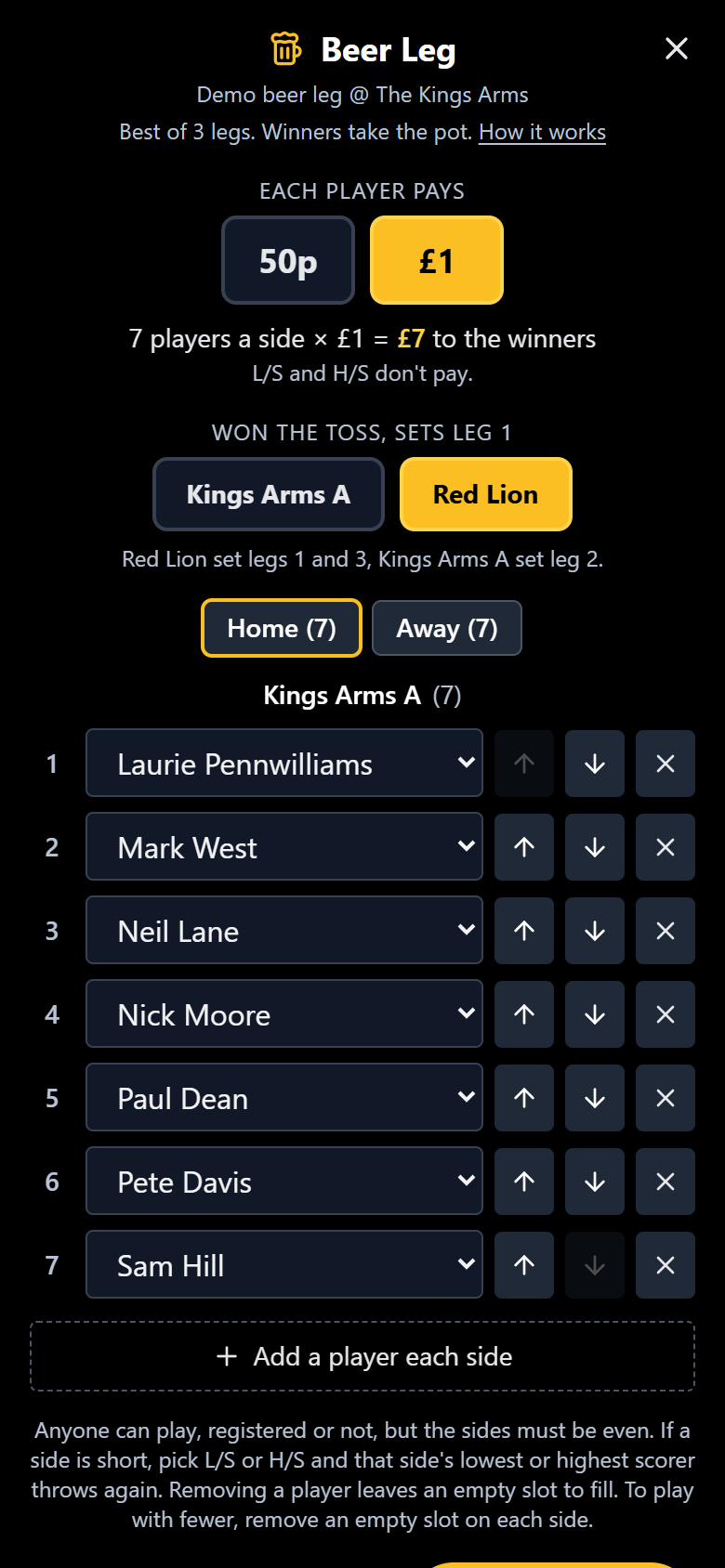
- Pick the fee each player pays: 50p or £1. It starts at £1.
- Check the players. Tonight's players are filled in to start with. Anyone can play, registered or not: pick from the team's registered players or choose Type a name.
- Even up the sides. The sides must be even, so one button adds a player to each side at once. If a side is short, pick L/S (that side's lowest scorer throws again) or H/S (the highest scorer throws again). L/S and H/S always throw last and don't pay.
- Set the order with the arrows.
- Toss a coin and tap the side that won. They set leg 1 (and leg 3), the other side sets leg 2. The toss is locked once the game starts.
The lineup saves itself as you go, so closing the app loses nothing.
Scoring
It's best of 3 legs. Scores save automatically, so the game can be picked up again later if you need to stop.
On a phone
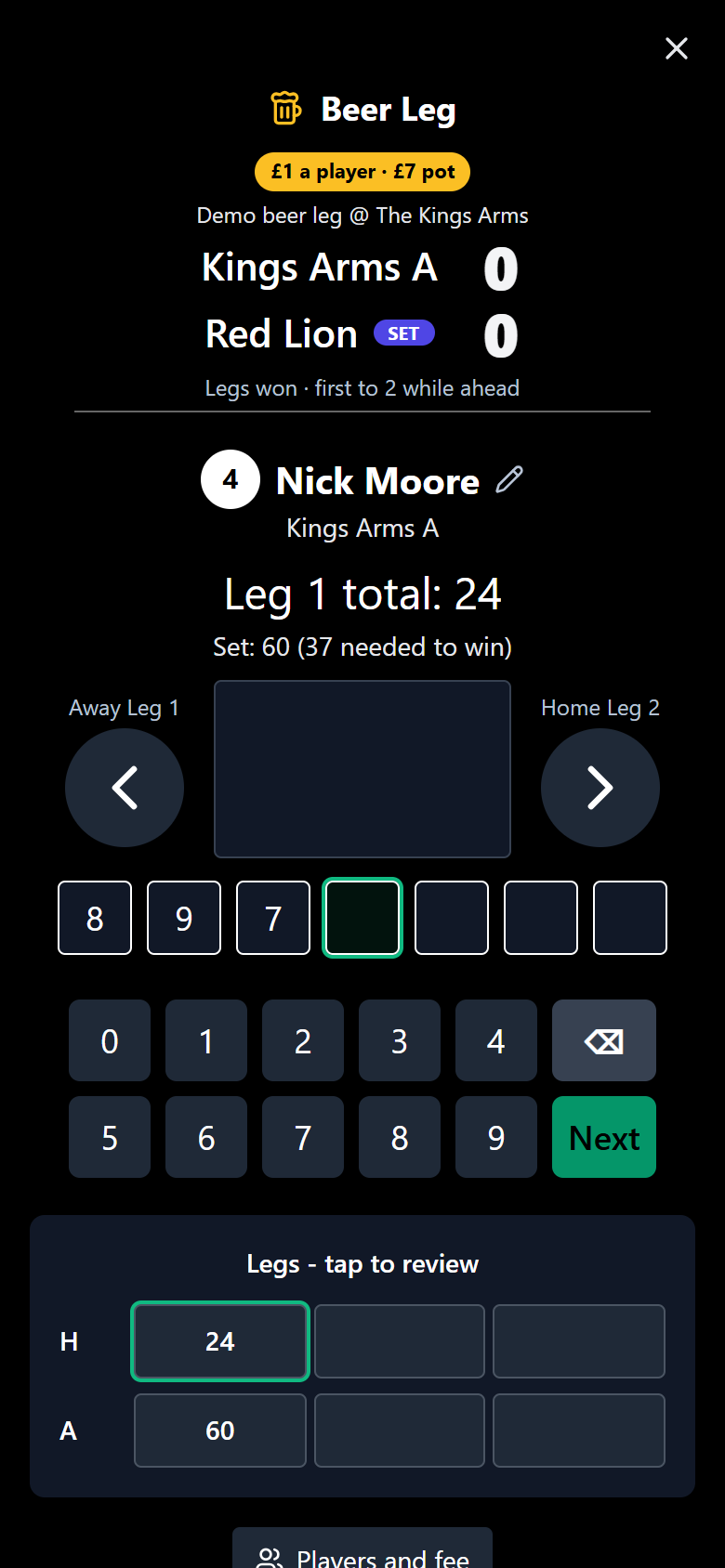
- It works just like the league scorebook: one player at a time, a big score box and a keypad.
- Next moves on to the next thrower, and the arrows step between each side's leg.
- The leg summary underneath turns green, red or yellow (a tie). Tap it to jump back and correct a score.
On a tablet or desktop
You get the full scoreboard with both sides side by side. Tap any cell to correct it. The Mobile view and Board buttons switch between the two layouts.
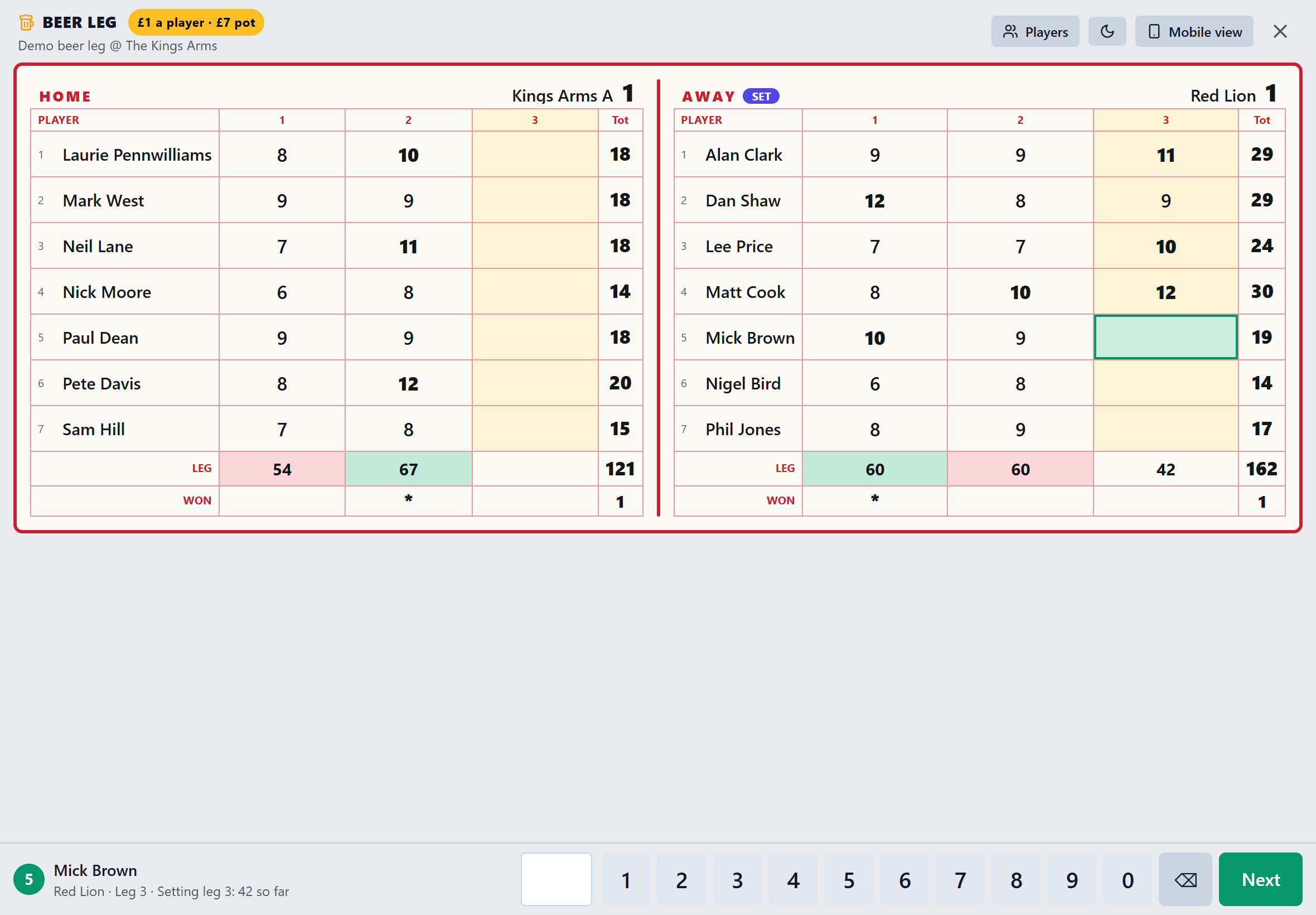
Chasing? When the second side throws, the app shows the set total and how many pins are needed to win the leg.
Players and the fee can still be changed mid-game from the Players button.
Winning and the pot
- A leg goes to the side with the higher total. A tied leg is half a leg each.
- The first side to 2 legs while in front wins. Ties stretch the game: at 2.5 legs each it carries on until someone is ahead.
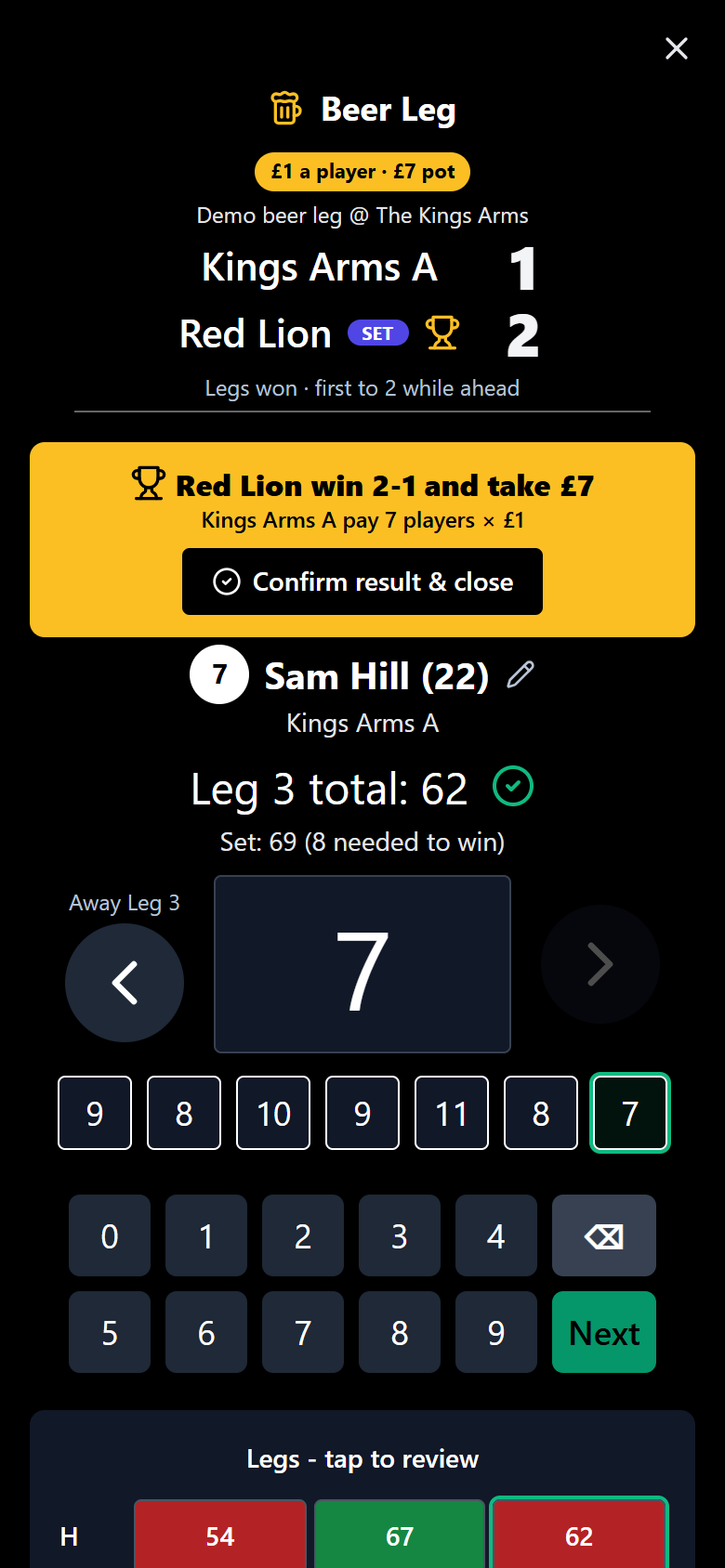
- The losing side pays the fee for each of its real players (L/S and H/S slots don't pay) and the winners take the pot.
- Tap Confirm result & close to save it. A confirmed result can be reopened to fix a mistake.
Example
7 players a side at £1 each: the losers pay £7 and it goes to the winners.
FAQ
Does it count for stats, averages or FSL?
No. The Beer Leg is kept completely apart from the league. Nothing you score in it touches the tables, player stats, averages or Fantasy Skittles League points.
Can players who are not registered join in?
Yes. Pick from the team's registered players or choose Type a name and enter anyone you like. Mates, landlords and visitors are all welcome.
What if one side is a player short?
Add an L/S or H/S slot to the short side. L/S means that side’s lowest scorer throws again, H/S means the highest scorer does. Those slots always throw last and never pay.
Can we fix a wrong score?
Yes. On a phone, tap the leg summary to jump back to that score. On the board, tap the cell. Even a confirmed result can be reopened to put a mistake right.
Who can score it?
Any player logged in for one of the two teams in that night’s match.
Looking for the league rules instead? Read the rules.